How to Get More Meal Prep Clients From Instagram

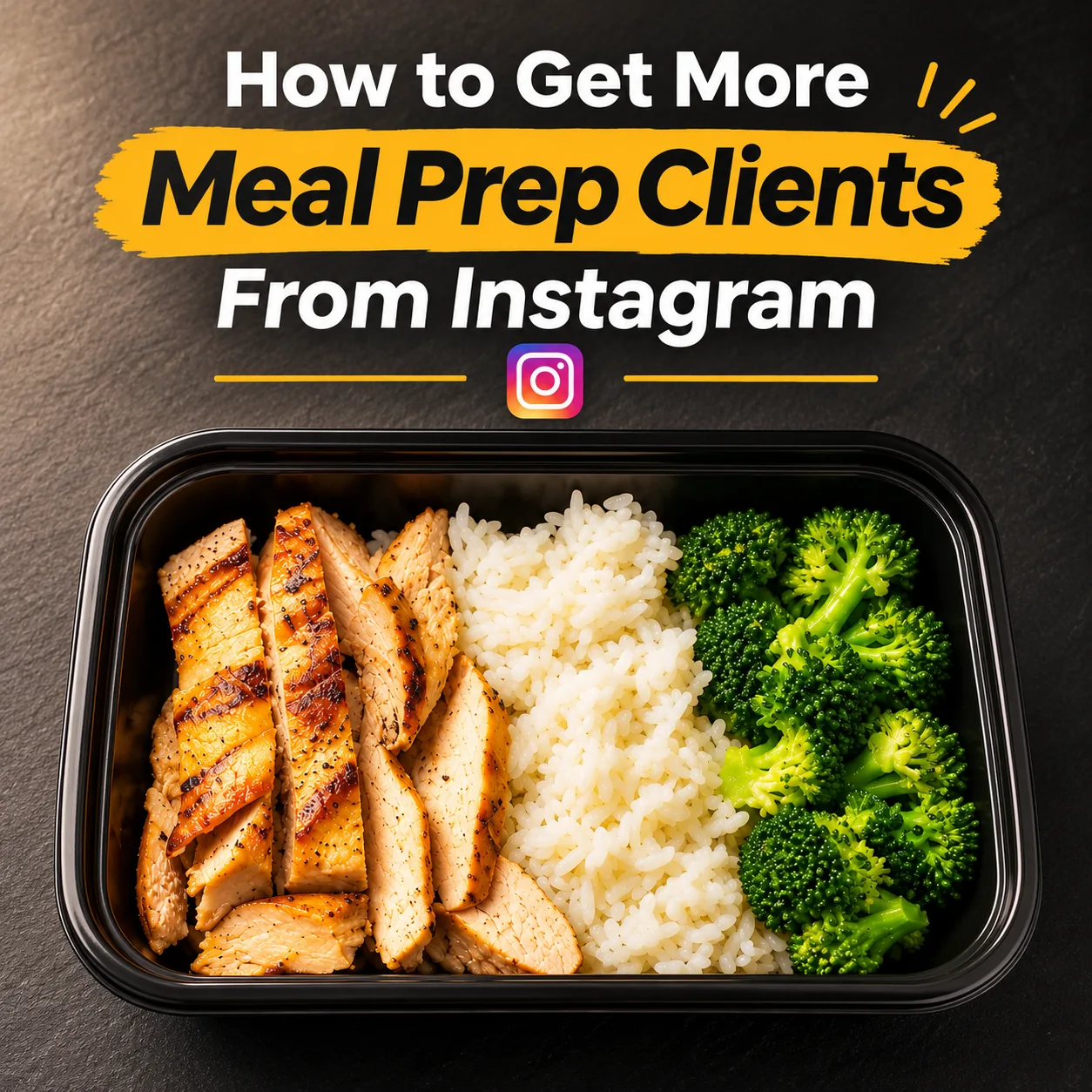
It's Sunday afternoon, and someone who is tired of ordering takeout every night is scrolling three local meal prep accounts, deciding who gets their next week of dinners. If you want more meal prep clients from Instagram, this is the moment that counts, because they will message the one account where the food looks like something they'd actually eat. Yours is the account with a grid of gray containers and a single caption that says "Meal prep Sunday!"
Why Instagram Is Where Meal Prep Clients Decide
Meal prep is a trust purchase with a weekly commitment attached. A new client isn't trying one dish; they're handing a stranger five or ten of their meals and paying before they've tasted any of it. They hear about you from a coworker, a neighborhood group, or a search, then open your Instagram and scroll. Your account is doing two jobs at once. It's the menu, telling them what they'd get this week and what it costs. And it's the proof that the food still looks good on day three. If the grid answers both questions, they message. If it answers neither, they go back to the other two accounts.
Why Meal Prep Is So Hard to Photograph
A restaurant plate gets photographed seconds after it leaves the kitchen. Your food gets photographed after it has been portioned, lidded, cooled, and stacked, the worst possible moment for a picture.
Every container looks the same. Twenty identical black bases in a row read as one dark rectangle on a phone screen. Nobody can tell the burrito bowl from the beef and broccoli.
Clear lids work against you. Overhead light bounces off the plastic in white streaks, and as warm food cools, condensation fogs the lid from the inside.
Cooling changes the food. Sauce pools in one corner. Rice dries out at the edges. Roasted vegetables that were glossy at 4pm look matte and tired by 7pm, once they've sat long enough to be lidded.
The fridge drains the color. Cold food under cold light goes dull. Green beans turn olive, tomato sauce turns rust, and the whole container drifts toward one brownish beige.
You're shooting at the end of a long day. By the time the last lid snaps on, you've been on your feet for hours. The photo gets taken on the counter you haven't wiped yet, under the yellow kitchen light, from whatever angle your arm can reach.
You don't need a studio. You need the photo you already took to look like the food actually looks, and that's what Feedtray does. You upload the picture from your phone, and in one click it corrects the lighting, color, and background so the container looks the way it did when you were proud of it. It keeps your real food, the actual chicken and the actual rice, and simply stops the kitchen light from misrepresenting it. If you want to get the shot right before it ever reaches the app, start here: how to take better food photos for Instagram.
The Four Posts That Fill a Meal Prep Menu
Most meal prep Instagram accounts post the same thing every week: a stack of containers and a cheerful caption. Four post types do the actual selling, and each one answers a question a prospective client needs settled before they'll hand over a week of meals. The examples below use one sample menu with a 5-meal plan at $11.50 per meal and a 10-meal plan at $10.50 per meal; swap in your own dishes and prices.
The hero meal. This post answers the most basic question: what does one meal look like when I open it?
The weak version is a wide shot of 20 closed containers lined up on the counter, lids fogged, with the caption: "This week's prep is done! DM to order."
The strong version shows one open container, close up, filled edge to edge with sliced lemon-herb chicken thighs, garlic rice, and charred green beans, with a lime wedge in the corner and a small cup of green chili sauce beside it on a clean wooden board. The caption: "Lemon-herb chicken thighs over garlic rice with charred green beans. The green chili sauce comes in its own cup, so the rice is still fluffy on Wednesday. On this week's menu at $11.50 per meal in the 5-meal plan, or $10.50 in the 10-meal plan. Orders close Thursday at 8pm, pickup Sunday 3 to 6pm. Link in bio to order."
One meal at eating distance lets someone imagine the fork going in. Twenty lids let them imagine a warehouse.
The weekly menu drop. This post answers: what can I get this week, and what does it cost?
The weak version: "New menu this week, DM to order." Anyone who wants the dishes or the price has to message and wait, and many won't.
The strong version shows all five of this week's meals in open containers, two neat rows on one table, each with a small handwritten label. The caption:
"This week's menu:
- Lemon-herb chicken, garlic rice, charred green beans
- Beef and broccoli with sesame rice
- Turkey chili with a square of cornbread
- Coconut chickpea curry with basmati (vegetarian)
- Chicken burrito bowl with black beans, corn salsa, and lime rice
5-meal plan: $57.50 ($11.50 per meal)
10-meal plan: $105 ($10.50 per meal)
Mix and match any way you like. Orders close Thursday at 8pm. Pickup Sunday 3 to 6pm, or local delivery Sunday evening for $5. Order through the link in bio."
Someone can read that once and order without sending a single message.
The plan explainer. This post answers: how does this actually work, and can I make it fit my week?
The weak version: "We have weekly plans for everyone. Ask us about our plans!"
The strong version shows a 10-meal order exactly as it's handed over: ten labeled containers in an insulated bag with the week's menu card tucked on top. The caption: "How the plans work. The 5-meal plan is five meals for $57.50. The 10-meal plan is ten meals for $105. You choose your mix from that week's five dishes, so ten meals could be two of each, or six burrito bowls and four curries. Swaps: trade the rice for roasted potatoes on any meal, and every sauce comes on the side. Have an allergy? Message us before you order. Order by Thursday at 8pm, pick up Sunday between 3 and 6pm, or get Sunday evening delivery inside our zone (it's in the Plans highlight) for $5. Every label has reheating instructions. No subscription; order the weeks you want."
That caption answers the three questions that stall a first order: am I locked in, what if I don't like something, and how do I get the food?
The slots left post. This post answers: if I want in, do I need to decide now?
The weak version: "Spots filling up fast!! Don't miss out!!" Followers have seen that line everywhere and rarely believe it.
The strong version shows the middle of a batch: a row of open containers half-filled with turkey chili, a ladle resting in the pot. The caption: "Eight plans left for this week. I cook every meal myself, so 30 plans is my limit, and once the last eight go, orders close early, even before the Thursday 8pm cutoff. On the menu: turkey chili, beef and broccoli, coconut chickpea curry, and two more in the link in bio. Five meals for $57.50, ten for $105."
Only post this when it's true. A solo cook has a real batch limit, and that limit is honest scarcity you don't need to exaggerate. If twenty plans are left, say twenty. Clients who trust your numbers are the ones who reorder.
The captions do as much of the selling as the photos, so it's worth getting them right: how to write Instagram captions for restaurants that actually get clicks.
Turn Your Meal Prep Instagram Into a Sign-Up Machine
Great posts bring people to your profile. Your profile decides whether they become meal prep clients or just followers. Instagram for meal prep businesses works best when someone can go from "this looks good" to "I've ordered" without sending you a message at all.
A bio that does the explaining. Three lines: what you make, where people get it, and how to start. For example: "Weekly meal prep plans, cooked in small batches. Pickup Sunday on Elm Street or local delivery. Order by Thursday 8pm, link below."
A link that goes straight to the order. Your link in bio should open a short order or sign-up form with this week's menu, the plan options, the price per meal, the cutoff, and a pickup or delivery choice. A generic homepage adds taps, and every extra tap is a reason to finish later. Later becomes Friday, which is after the cutoff.
Highlights that answer questions before they're asked. Set up four: Menu (updated every week), How It Works (order, cutoff, pickup, reheating), Plans and Pricing, and Reviews. For Reviews, use screenshots of client messages only with the client's permission. A quick "Mind if I share this?" is all it takes.
A saved reply for the menu question. The DM you get most is some version of "What's on this week and how much?" Instagram professional accounts let you save a message you've already sent and give it a keyboard shortcut, as Instagram's help page on the professional inbox explains. Write one reply with the current menu, plan prices, cutoff, and order link, then update it each time the menu changes. Now a new lead gets an answer in seconds, even mid-batch.
A simple order process. The basic setup is the same one home bakers use for preorders: a simple form in your link in bio, payment up front, and a short confirmation message. We walked through it step by step here: how to sell baked goods on Instagram.
Know What You Can Sell From Your Kitchen
Before you grow, check what you're allowed to sell from the kitchen you cook in. The rules for selling prepared meals from a home or shared kitchen vary a lot by country, state, and region, and refrigerated prepared meals are often regulated more strictly than shelf-stable baked goods. Look up your local food safety authority or health department, and search specifically for their rules on prepared or refrigerated meals, home kitchens, and commercial or shared kitchen use.
What the Difference Looks Like
Same meal, same kitchen, same phone. The only thing that changes is whether someone looks at the photo and thinks, "I would actually eat that on a Wednesday."
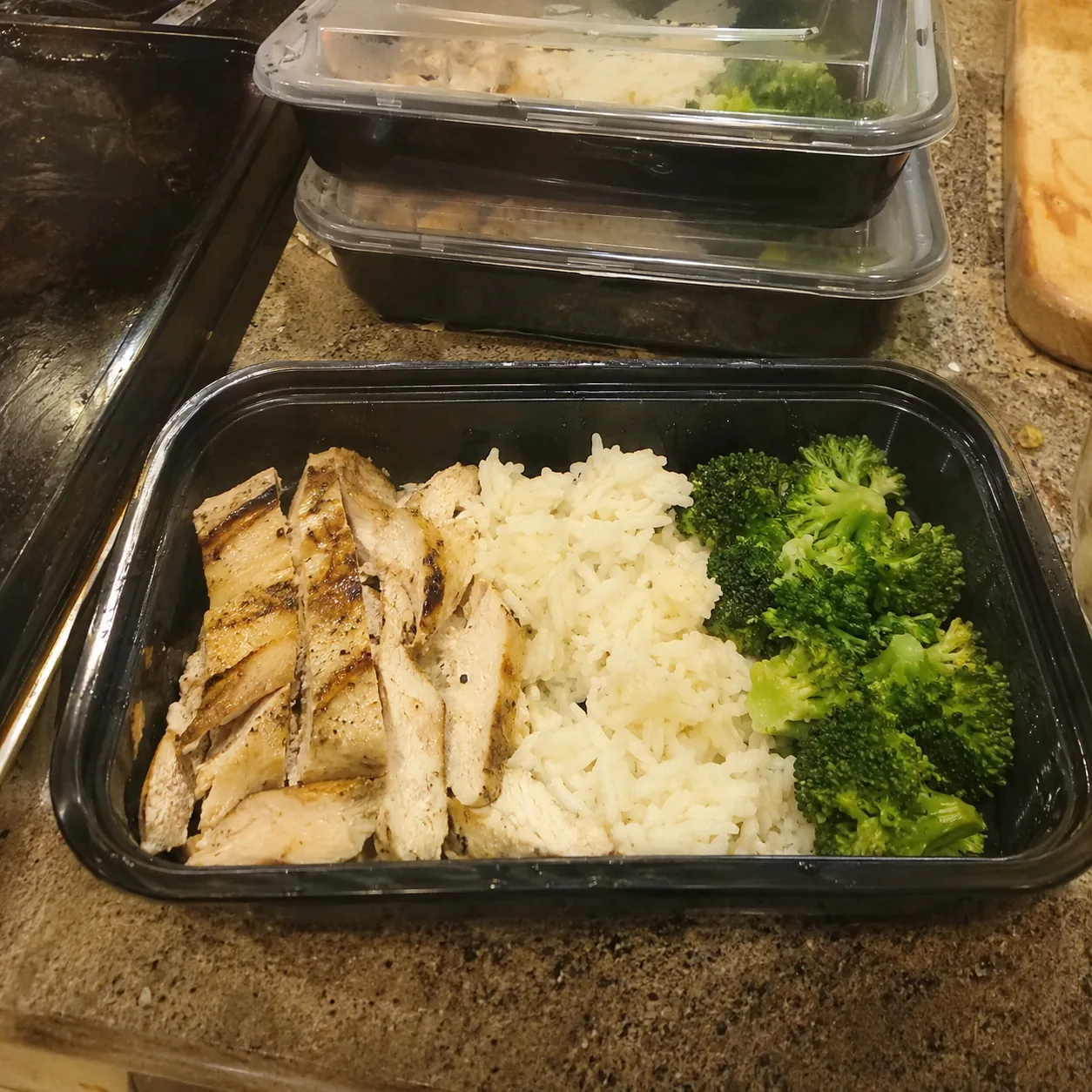
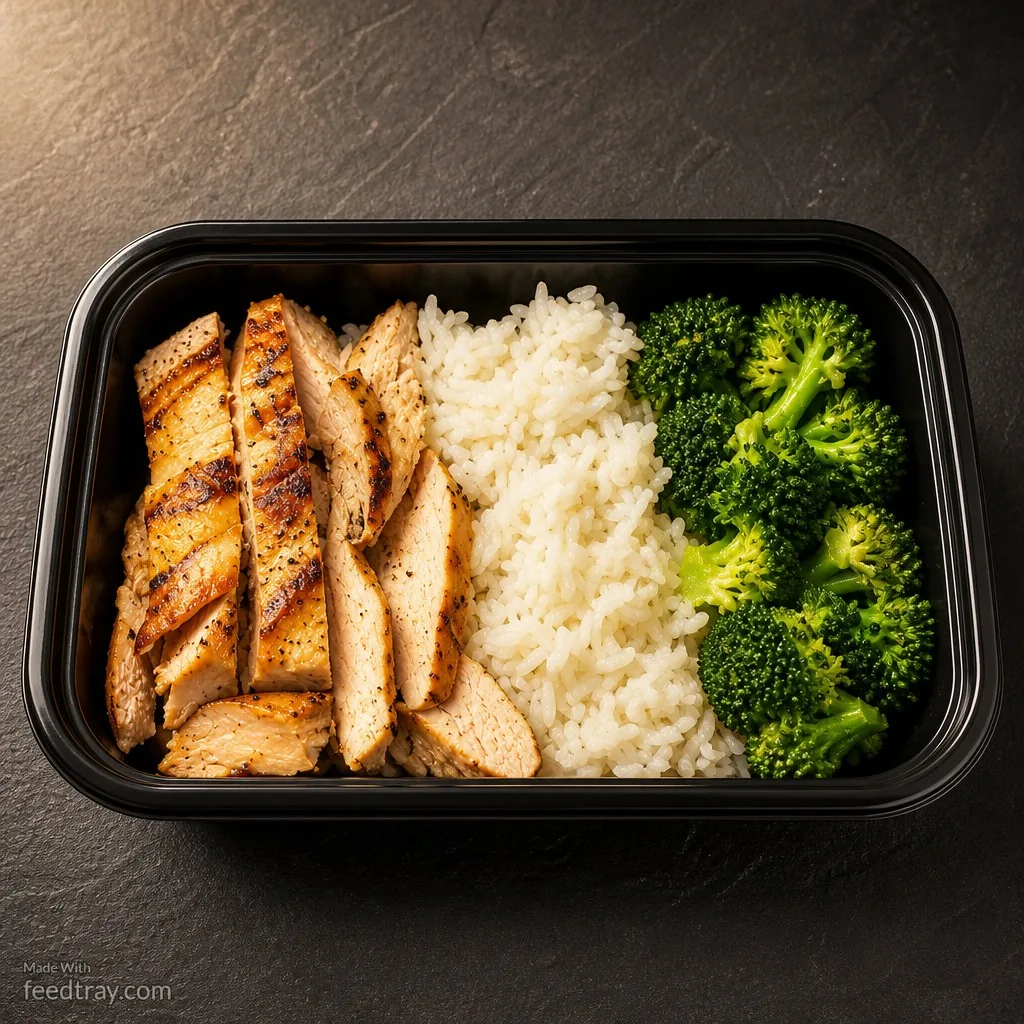
Before and after meal prep container photo enhanced with Feedtray showing how to get more meal prep clients from Instagram
This is the photo that gets the sign-up.
Clients don't commit to the cook with the most followers. They commit to the one who makes the week ahead look easy and appetizing, and your account is where they see that first. The meal prep businesses growing on Instagram aren't posting more than you. They're posting meals that look as good as they taste, with a clear menu, an honest cutoff, and an obvious way to start.