How to Get More Restaurant Customers From Google Maps

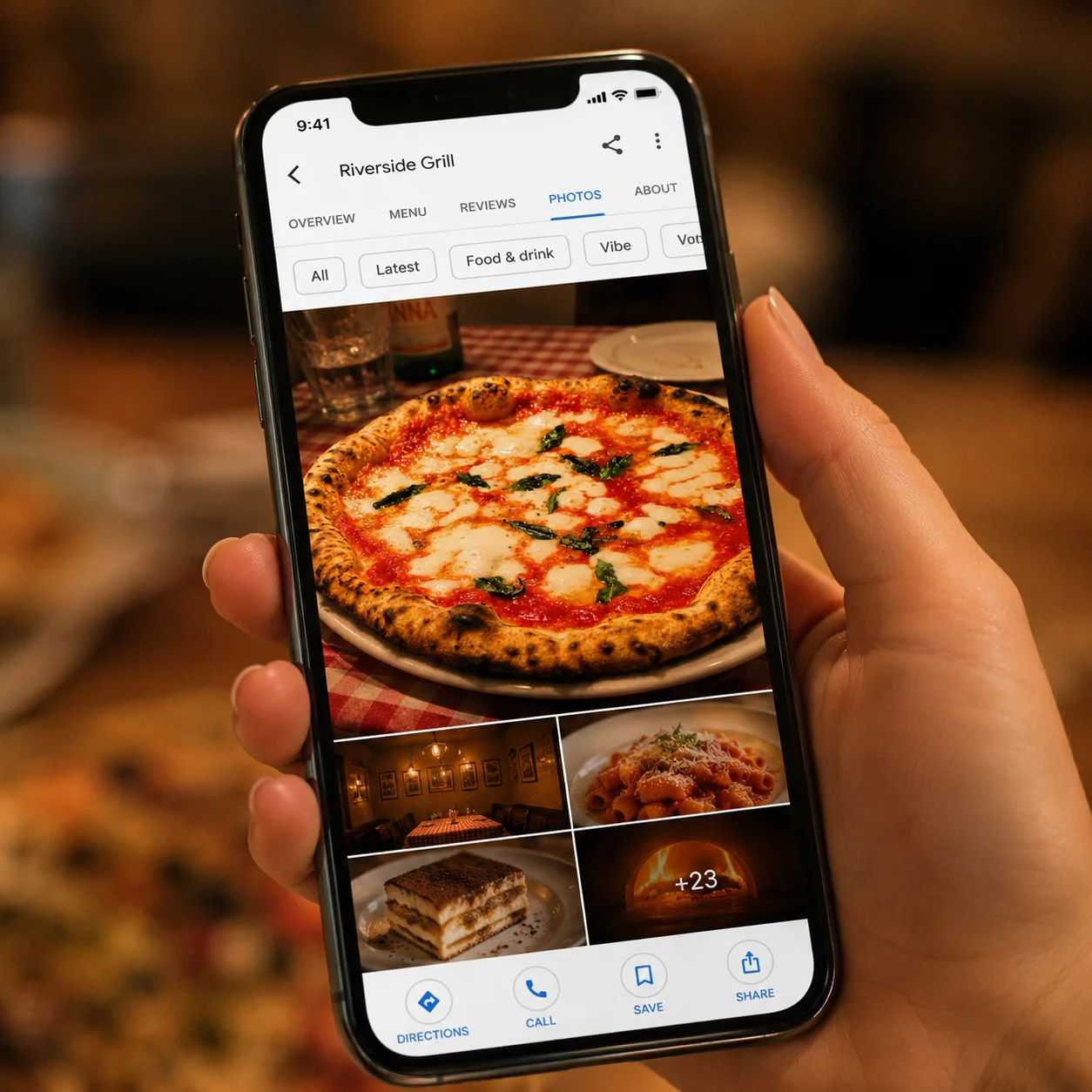
Someone types "Italian restaurant near me" into their phone, and in about ten seconds they decide where they're eating tonight, mostly based on the photos in the results. Your restaurant was probably in that list. The only question is whether your photos made them stop scrolling or kept them moving to the next option.
That ten-second window is happening dozens of times a day, every day, to every restaurant with a Google Business Profile. Most owners have no idea it's happening at all.
Why Google Maps Is One of Your Most Powerful Marketing Channels
There's a difference between someone scrolling Instagram and someone searching Google Maps, and it's not a small one. Someone on Instagram is passing time. They might stop on your post, they might not, and either way they're not necessarily hungry or nearby. Someone on Google Maps has already made two decisions before they even open the app: they want to eat, and they have a rough idea of where and what. Now they're choosing between the three or four listings sitting in front of them.
That's not browsing. That's a decision in progress, and your photos are what tips it one way or the other.
Look at where photos actually show up in that decision. There's the thumbnail in the search results grid, the small square image sitting next to your name and rating before anyone has even clicked on you. There's the photo carousel at the top of your listing once they do click, the set of images someone swipes through in the last few seconds before deciding whether to walk in, call, or scroll past. And there's the photo that shows up directly in Google Search when someone searches a local term like "best tacos open now," sometimes before they ever open Maps at all.
Every one of those moments is a photo doing sales work. Not branding work, not aesthetic work: sales work. A restaurant that treats its Google Business Profile as a place to list an address and hours is leaving that entire job undone.
What Google Maps Customers Actually Look At
Three things carry almost all the visual weight on a Google Business Profile.
The cover photo comes first. It's the image that appears in the carousel and, more importantly, the one that shows up as the thumbnail in search results before anyone clicks through. If that photo is a picture of your storefront or an empty dining room, you've spent your one shot at attention on something that doesn't answer the question the searcher actually has, which is "what does the food look like."
The photo carousel comes next. This is what people swipe through once they're genuinely close to choosing, comparing your restaurant against two or three others in the same list. A weak carousel, blurry, dim, inconsistent, tells a searcher this place either doesn't care or doesn't have much worth showing.

Then there are the customer-uploaded photos, the ones you don't control. They sit right alongside your own images, and if your official photos are weak and the customer photos are also mediocre, the listing sends one unmistakable signal: this place probably isn't worth the drive. Compare that to a listing where the very first photo makes someone pause mid-scroll because the dish genuinely looks worth going out for. That's the gap between a Google Maps listing that converts and one that quietly gets passed over.
The Google Maps Photo Mistakes Most Restaurants Make
Most of the damage to a Google Maps listing comes down to a handful of repeatable photo mistakes, and once you know what to look for, you can spot them on your own restaurant's Google Business Profile in about two minutes.
Using the wrong cover photo. The exterior shot or the dining room photo goes first, and the best food photo gets buried three or four images deep, if it's in the listing at all. The cover photo should be the dish that makes people hungry, not the building.
Uploading photos built for a different purpose. A menu graphic or a flyer image gets dropped into the Google Maps photo carousel and looks exactly like what it is: something designed for a different format, stretched or cropped awkwardly into a space it wasn't made for.
Having too few photos. A listing with six or seven photos, most of them old, reads as an incomplete or inactive business. Ten or more, kept current, signals the opposite.
Never updating the photos. Dishes get discontinued, menus change, dining rooms get renovated, and the Google Maps listing still shows what the restaurant looked like two years ago. Customers notice the mismatch the moment they walk in.
Ignoring Google's photo categories. Google lets businesses sort photos into food, interior, exterior, and team, and most restaurants dump everything into one uncategorized pile. A searcher looking specifically for what the food looks like has to dig for it instead of finding it immediately, and most searchers won't dig. They'll click the next listing instead.
Every one of these is fixable in an afternoon, and none of them requires a new menu, a new dining room, or a new chef. What they require is treating the Google Business Profile like the storefront it actually is, not a form you filled out once and forgot about.
How Better Food Photos Directly Get You More Google Maps Customers
This is where photo quality stops being about looking good and starts being about revenue. Every action a Google Maps customer takes on your listing, clicking through to the website, calling the restaurant, requesting directions, saving the listing for later, happens after someone has looked at the photos. According to local SEO research from Whitespark, businesses that add photos to their Google Business Profile receive 42% more requests for directions and 35% more clicks through to their website than businesses without photos. That's not a ranking factor buried somewhere in an algorithm. That's the direct behavior of a hungry person looking at a screen and deciding whether your restaurant is worth the trip.
A weak photo doesn't just fail to help. It actively costs you the click, the direction request, and the table. A strong one does the opposite: it turns a passive search result into someone standing in your doorway twenty minutes later.
Think about what each of those actions actually is. A direction request means someone has already decided to leave their house and drive to you, based on nothing more than a rating, a distance, and a photo. A website click usually means they want to check a menu before committing, and if your site loads the same food photo they just saw on Google Maps, you've confirmed the decision instead of introducing doubt. A save means you've won a future decision, not just today's. All three start in the same place: the photo that made them pause instead of scroll.
This is why photo quality belongs in the same conversation as pricing and location, not filed under "marketing nice-to-have." A restaurant with a great kitchen and weak Google Maps photos is losing customers to a restaurant with an average kitchen and photos that do their job.
What the Difference Looks Like
The gap between a photo that earns a save and one that gets scrolled past usually has nothing to do with the dish itself. It's what the photo does with light, background, and composition. In the split second someone is comparing your listing to the one next to it, they're not reading your description or checking your rating first, they're looking at whether the food in front of them looks worth the trip. Same plate, same kitchen, same phone, two very different answers to that question.
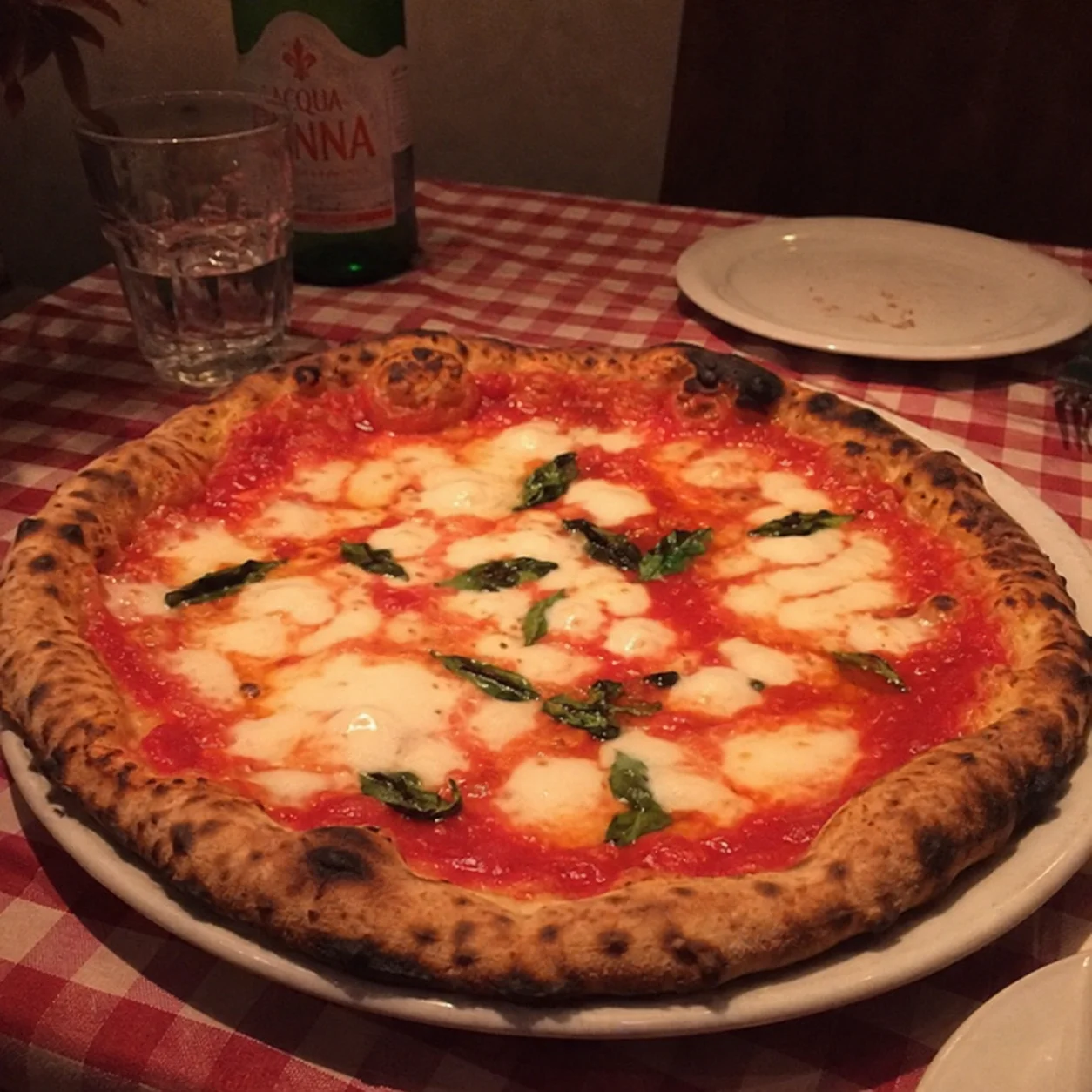
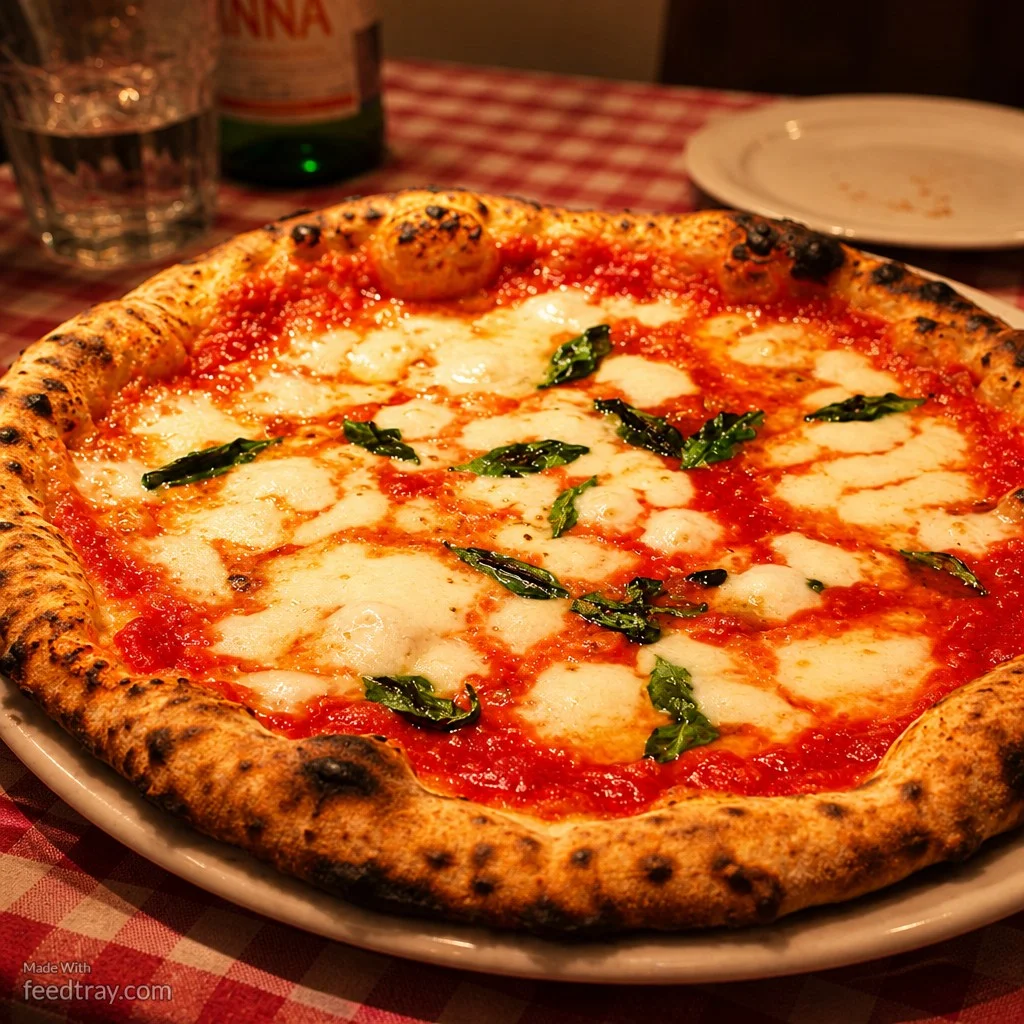
Before and after cacio e pepe pasta photo enhanced with Feedtray showing how better photos get more Google Maps customers
That second version is the one that earns the click, the direction request, and the table.
How to Fix Your Google Maps Photos Without a Photographer
Feedtray fixes this without a photographer, a shoot day, or a closed dining room. You upload the phone photo you already have, and in one click the lighting gets corrected, the background gets cleaned up, and the color and texture of the dish come through the way they actually look when the plate leaves the kitchen at its best. No studio setup, no editing skills, no waiting on a freelancer's schedule, just the photo you already took, fixed and ready to upload to your Google Business Profile in under a minute.
The same enhanced photos work on your Uber Eats menu and your DoorDash listings, and on Instagram, so fixing the Google Maps listing fixes several platforms at the same time, from the same upload. That means one photo session, done on your phone between shifts, updates your cover photo, your carousel, and your delivery app listings all at once.
The Bottom Line on Getting More Restaurant Customers From Google Maps
The person who finds your restaurant on Google Maps has already decided they want to eat. They're not browsing, they're choosing, and they're choosing between you and the three other listings sitting on the same screen. The only variable left is whether your photos give them a reason to pick you.